
Setting up Claude for SEO like an expert means giving it a reusable Skill — a packaged file with your actual audit methodology, reference material and workflows — instead of re-explaining your process in every prompt. Claude then runs the same repeatable process every time, faster and more consistently, without replacing the expertise behind it.
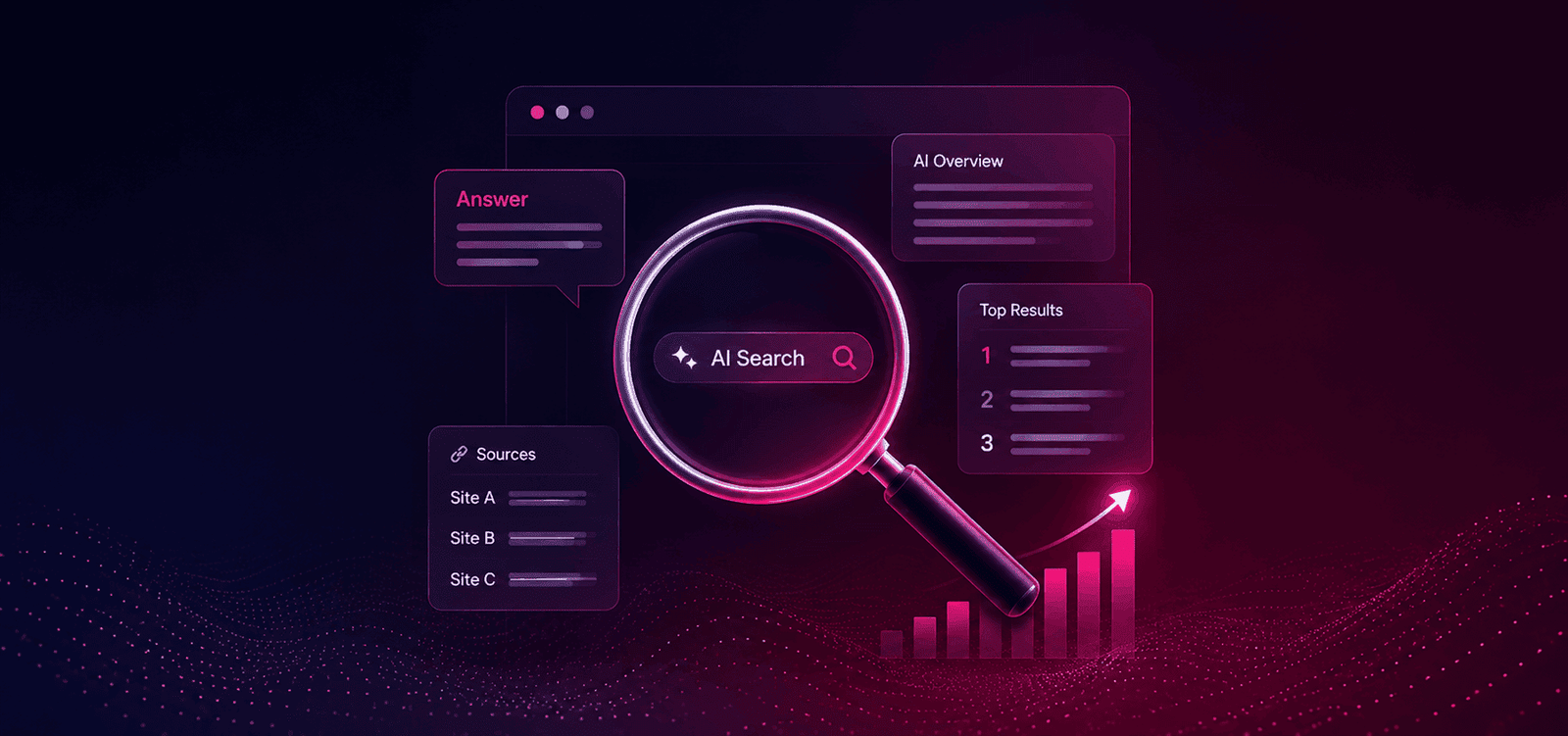
SEO is no longer just about getting a page into Google's top 10. Search is increasingly becoming an answer-driven experience, with AI systems helping users discover, compare and understand information without always visiting multiple websites. That creates a new SEO question: is your website structured well enough for AI systems to understand, extract and use your information?
You don't need to completely rebuild your SEO process to address this.
With Claude + specialized SEO Skills, you can automate and accelerate many of the repetitive tasks involved in technical SEO, content optimization, topical authority, structured data and AI-search readiness.
The goal isn't to replace SEO expertise with AI.
It's to use AI to apply good SEO processes faster and more consistently.
You can see what "faster and more consistently" actually looks like in these SEO case studies — real client results, not vanity metrics.
Why Claude Is Useful for SEO
Most SEO professionals already have a process.
You audit the website.
You analyze keywords.
You check competitors.
You review content.
You identify technical issues.
You build internal links.
You improve structured data.
You create new content.
The problem isn't knowing what needs to be done.
The problem is the amount of repetitive work required to do it consistently.
Claude can help with that.
Instead of asking Claude a different SEO question every time, you can give it a repeatable SEO workflow through Skills.
This allows Claude to work from predefined instructions, reference material and processes when performing specific tasks.
The result is a more structured approach to AI-assisted SEO.
This mirrors the repeatable SEO process I run for every client — Claude Skills just make it easier to execute at scale.
What Are Claude Skills?
Claude Skills are reusable packages of instructions and resources that teach Claude how to perform a specific type of task.
A Skill can contain a SKILL.md file along with supporting reference files and scripts.
For SEO, this means you can create or install Skills specifically for workflows such as:
- Technical SEO audits
- On-page optimization
- Content audits
- Keyword clustering
- Competitor analysis
- Internal linking
- Schema markup
- Topical authority
- GEO and AI-search optimization
Instead of repeatedly explaining your SEO methodology to Claude, you can package that methodology into a Skill.
Think of it this way
"Audit this page for SEO and check the headings, content, internal links, schema and search intent." Without a Skill
"Run the SEO audit." With an SEO Skill
The Skill already contains the process Claude should follow.
That makes the workflow much more repeatable.
Which SEO Skills Should You Use?
You don't need to install dozens of Skills immediately.
Start with the workflows that provide the most practical value.
| SEO Skill | What It Helps With |
|---|---|
| Technical SEO | Crawlability, indexability, redirects, canonicals, sitemap and technical issues |
| On-Page SEO | Titles, headings, content structure, search intent and internal links |
| Content Audit | Content quality, gaps, relevance and information depth |
| Topical Authority | Topic clusters, entities and content relationships |
| Schema | Structured data and machine-readable information |
| GEO / AI Search | AI-search visibility, citability and answer-focused content |
| Keyword Research | Keyword discovery, clustering and intent classification |
| Competitor Analysis | Content gaps and competitive opportunities |
Open-source Claude SEO Skill libraries already provide many of these workflows. For example, SEO Skill collections from Hawk Academy/StudioHawk and SE Ranking include multiple specialized SEO workflows that can be used as starting points for your own Claude setup.
The important thing is not to install everything.
Start with the workflows that match your SEO process.
If you'd rather start from a working system than build one from scratch, this is close to the six-stage process I use across SEO, PPC and content for clients — and the same Skill-based approach works just as well for PPC audits.
How to Set Up Claude for SEO
The easiest approach is to combine existing SEO Skills with your own methodology.
A basic Skill structure can look like this:
The SKILL.md file contains the main instructions.
Reference files can contain your SEO frameworks, checklists and standards.
Scripts can be used for repeatable technical or data-processing tasks.
This is where Claude becomes more useful than a simple chatbot.
You're not just asking it questions.
You're giving it a process to follow.
Start With a Website-Level SEO + AI Search Audit
Once Claude has the appropriate Skills, don't immediately ask it to rewrite your website.
First understand what is wrong.
Use a prompt such as:
Audit this website for traditional SEO and AI-search visibility.

Website:
https://example.com

Business:
[describe business]

Target audience:
[describe audience]

Primary services:
[list services]

Target locations:
[list locations]

Analyze the existing website before making recommendations.

Separate the findings into:

1. Technical SEO
2. On-page SEO
3. Content quality
4. Search intent
5. Entity clarity
6. Topical authority
7. Internal linking
8. Structured data
9. E-E-A-T signals
10. AI-search/GEO readiness

For every issue provide:

Problem
Evidence
Why it matters
Recommended fix
Priority: High / Medium / Low

Do not invent information that cannot be verified.
This gives you something far more useful than:
"Make my website AI friendly."
Improve Your Content for AI Search
One of the simplest improvements is to make important information clear, direct and self-contained.
Consider this:
"We provide comprehensive digital marketing solutions designed to help businesses achieve their online objectives."
It sounds professional.
But it doesn't communicate much.
Compare it with:
"We provide SEO, Google Ads and Meta Ads services for small businesses in Ahmedabad. Our SEO services include technical SEO, local SEO, content strategy and Google Business Profile optimization."
The second version makes the business, services, audience and location much clearer.
This isn't about stuffing more keywords into the page.
It's about reducing ambiguity.
Ask Claude to review your content using:
Analyze this page for AI-search understanding.

Identify:

- Important information that is unclear
- Important information buried too deeply
- Generic marketing statements
- Missing definitions
- Missing entities
- Unsupported claims
- Questions the page should answer
- Passages that could work as standalone answers

Then recommend improvements.

Do not add information that cannot be supported by the business or source material.
Build an Entity Map With Claude
Search engines and AI systems need to understand relationships.
For example:
- Business
- → SEO Consultant
- → Technical SEO
- → Local SEO
- → AEO / GEO
- → Ahmedabad
- → Small Businesses
- → Healthcare
- → E-commerce
For a healthcare or service business with multiple locations, this kind of relationship mapping is exactly what tripled map-pack visibility for a multi-location clinic group — the entities just needed to be made explicit.
These relationships should be clear throughout your website.
Claude can help identify where those relationships are missing.
Use:
Analyze my website and create an Entity Relationship Map.

Identify:

1. Primary business entity
2. Services
3. Locations
4. Industries
5. Target audiences
6. People/authors
7. Products
8. Related concepts

Then identify which relationships are unclear or missing.

Recommend:

- New pages
- Content sections
- Internal links
- Schema opportunities
- Supporting content
This can turn a collection of individual pages into a much more connected website.
Use Claude to Build Topical Authority
Publishing more blog posts doesn't automatically create topical authority.
The content needs to work together.
For example, an SEO consultant could build a topical structure around:
- SEO
- → Technical SEO
- → Local SEO
- → Keyword Research
- → Internal Linking
- → Content Strategy
- → E-commerce SEO
- → AEO
- → GEO
- → AI Search
Each supporting topic can connect back to the main topic.
Claude can help identify the missing connections.
Try:
Create a topical authority map for my website.

Primary topic:
SEO

Business:
[business description]

Identify:

- Core topics
- Supporting topics
- Related entities
- User questions
- Commercial-intent topics
- Informational topics
- Missing content clusters
- Internal linking opportunities

Prioritize topics based on:

1. Business relevance
2. User value
3. Search intent
4. Topical relevance
5. Ability to demonstrate expertise

Do not recommend topics simply because they have keywords.
This is where AI can save a significant amount of manual research time.
For a deeper framework on structuring these clusters around what people actually search for, see Topical Maps 101: Structuring Content Around Buyer Intent.
Use Claude for Technical SEO
AI-friendly content cannot compensate for a website that search engines cannot properly crawl or index.
Use Claude to structure a technical SEO audit around:
- Robots.txt
- XML sitemap
- Canonical tags
- Indexability
- Crawlability
- Status codes
- Redirects
- Duplicate URLs
- Internal linking
- Orphan pages
- JavaScript rendering
- Mobile usability
- Core Web Vitals
- Structured data
- HTTPS
A useful prompt is:
Perform a technical SEO audit.

Check:

- Crawlability
- Indexability
- Robots.txt
- XML sitemap
- Canonical tags
- Redirects
- Status codes
- Duplicate URLs
- Internal links
- Orphan pages
- Structured data
- Core Web Vitals
- Mobile usability

For each issue provide:

Problem → Evidence → Impact → Recommended Fix → Priority

Clearly separate confirmed issues from assumptions.
The key is to give Claude actual website data where possible.
Don't expect an AI model to identify server-side problems accurately from a URL alone.
Feed it crawl exports, Search Console data, analytics data, page HTML or other reliable inputs whenever available.
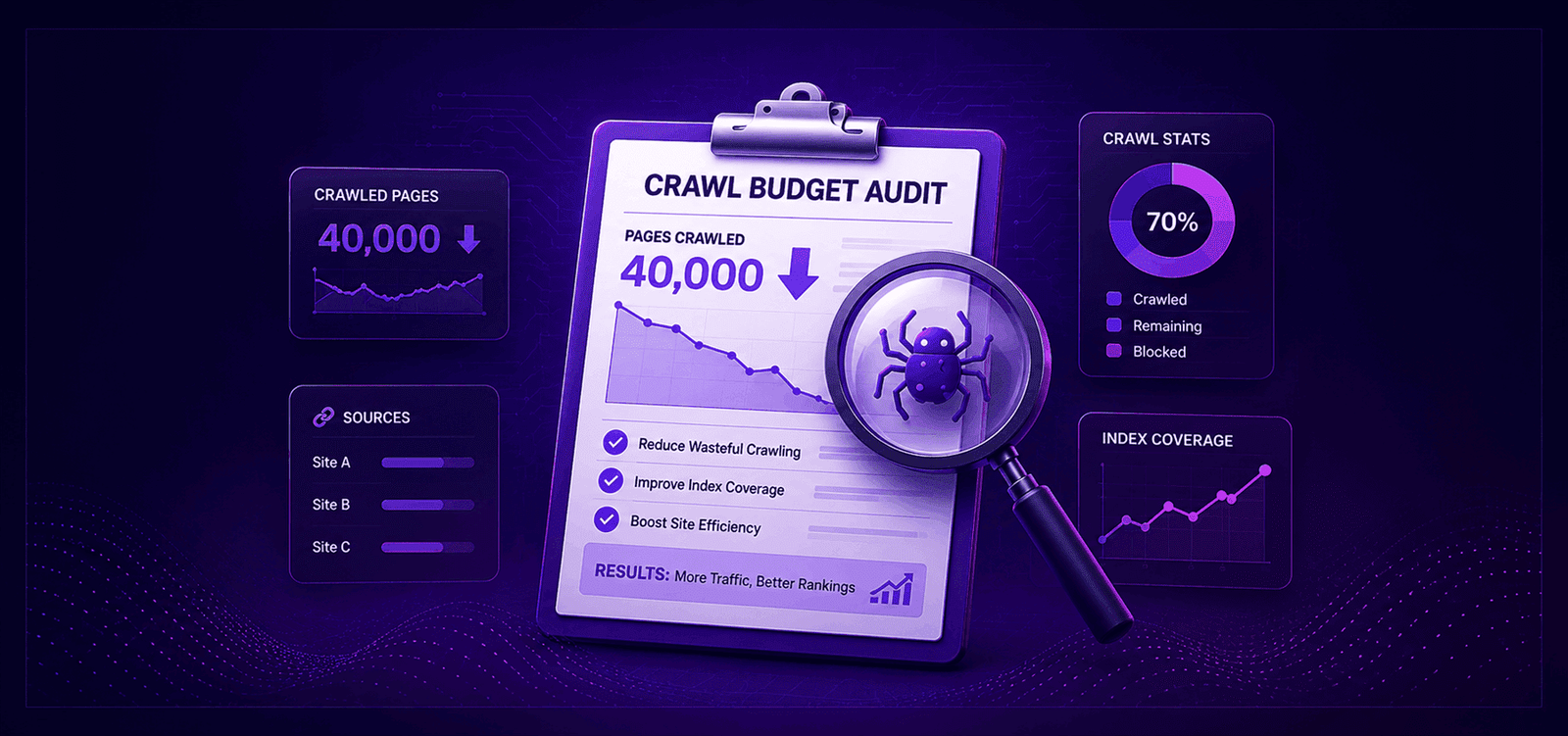
That's precisely the approach that uncovered the indexation bleed in the crawl-budget audit that saved a 40,000-page site — real crawl data, not guesswork.
Use Claude to Improve Internal Linking
Internal linking is one of the easiest SEO activities to overlook.
Claude can analyze your existing content and identify relationships between pages.
For example:
Analyze these website pages and create an internal linking plan.

For every recommended link provide:

Source page
Target page
Suggested anchor text
Reason for the link
Relevant section

Prioritize links that improve:

- Topic relationships
- User navigation
- Context
- Commercial page discovery
- Topical authority
This can turn hundreds of existing pages into a more connected information architecture.
Create SEO + GEO Content Briefs
Don't ask Claude:
"Write a 2,000-word SEO article."
Start with a brief.
Ask Claude to identify:
- Search intent
- Main topic
- Related entities
- Important questions
- Content gaps
- Supporting topics
- First-hand experience opportunities
- Internal links
- External evidence
- Schema opportunities
- Conversion opportunities
Then generate the content.
A useful prompt:
Create an SEO + GEO content brief.

Topic:
[topic]

Target audience:
[audience]

Search intent:
[intent]

Include:

- Primary topic
- Related entities
- Important questions
- Recommended H1
- H2/H3 structure
- Direct-answer opportunities
- Information competitors commonly miss
- Evidence that should be included
- First-hand experience opportunities
- Internal linking opportunities
- Schema recommendation
- Conversion opportunity

The final article must provide original value and should not simply paraphrase competing pages.
Ask Claude to Find "Citation-Worthy" Content
This is one of the most interesting ways to approach AI-search optimization.
Instead of asking:
"Is this article optimized for GEO?"
ask:
"Which information in this article is useful enough for an AI system to extract?"
Try:
Analyze this page as an AI search system.

Identify:

1. The strongest factual statements
2. Questions this page answers
3. Useful statistics or evidence
4. Statements requiring evidence
5. Generic marketing statements
6. Ambiguous information
7. Passages that can be understood without additional context
8. Important information that is buried

Then recommend how to restructure the page so important information is easier to understand and extract.
This moves the conversation away from vague "GEO optimization" and toward something much more practical:
making useful information easy to understand and retrieve.
This overlaps almost entirely with what actually gets a brand cited inside ChatGPT and AI Overviews.
Build Your Own SEO Skill
This is where advanced SEO professionals can go beyond simply installing public Skills.
Create your own SEO Skill based on your methodology.
For example:
Your Skill could contain:
- Your technical SEO checklist
- Your content audit framework
- Your keyword methodology
- Your internal linking rules
- Your schema approach
- Your GEO framework
- Your reporting format
- Your quality-control checklist
Now Claude doesn't simply know SEO.
It knows how you do SEO.
That's a much more powerful use case.
A Simple 30-Minute Claude SEO Workflow
You don't need to spend hours creating an AI SEO system.
Start with this:
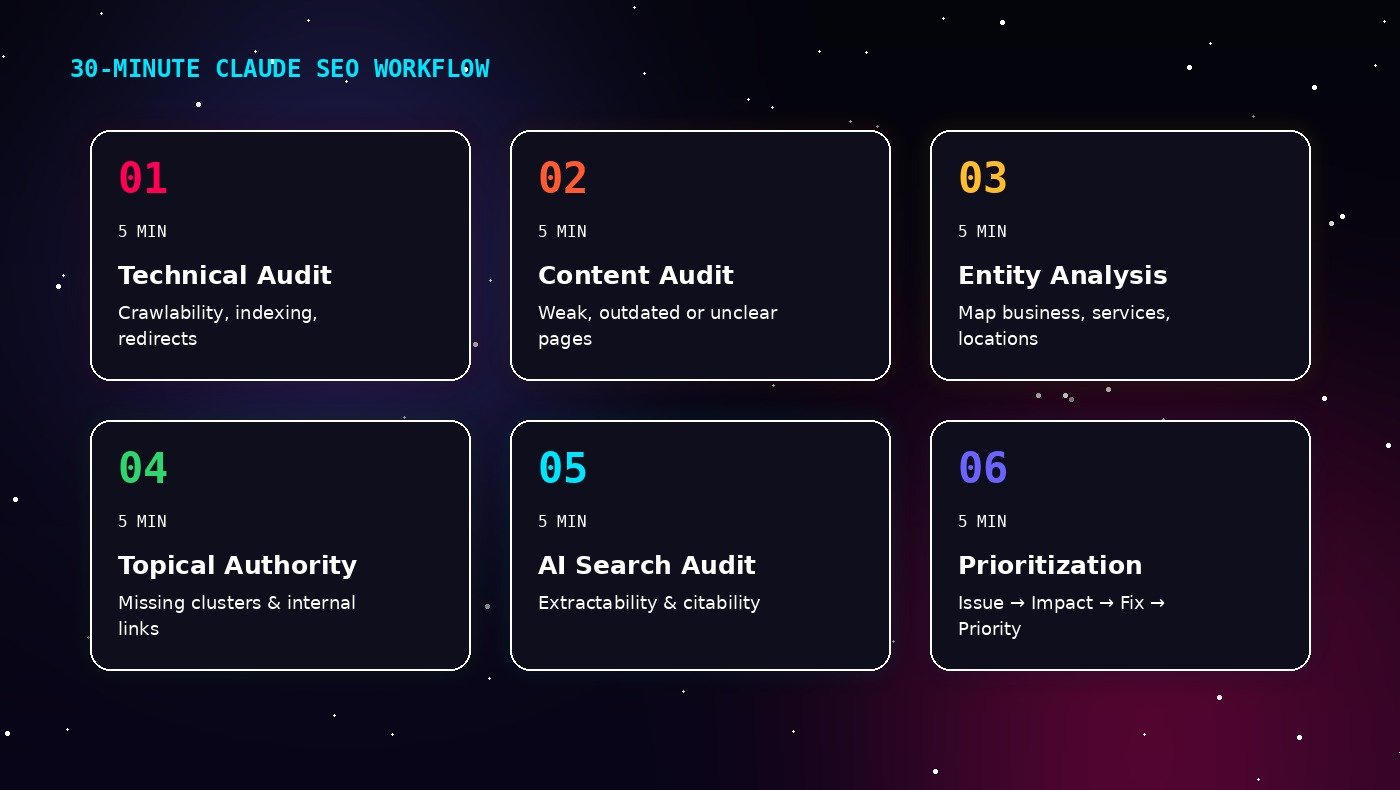
5 minutes — Technical Audit
Find crawlability, indexing and technical issues.
5 minutes — Content Audit
Identify weak, outdated, unclear or incomplete content.
5 minutes — Entity Analysis
Identify the entities and relationships your website needs to communicate.
5 minutes — Topical Authority
Find missing topics and internal-linking opportunities.
5 minutes — AI Search Audit
Identify content that could be clearer, more direct and easier to retrieve.
5 minutes — Prioritization
Ask Claude to turn everything into:
Issue → Impact → Recommendation → Priority → Implementation
You still validate the recommendations.
But Claude handles much of the repetitive analysis.
Don't Turn AI SEO Into Another Checklist
This is important.
AI SEO shouldn't become:
Add FAQ schema → add keywords → publish more blogs → create an llms.txt file → hope ChatGPT cites you.
There is no single checkbox that makes a website "AI optimized."
A stronger approach is to make your website:
- Easy to crawl
- Easy to understand
- Clearly structured
- Factually accurate
- Entity-rich
- Internally connected
- Demonstrative of genuine expertise
- Useful for the people searching
Traditional SEO and AI-search optimization have much more overlap than many people assume.
The difference is that visibility now includes more than rankings and clicks.
Key Takeaways
- Claude can accelerate many repetitive SEO workflows.
- Claude Skills allow you to package repeatable SEO processes and methodologies.
- Start with Technical SEO, On-Page SEO, Content Audit, Topical Authority and GEO/AI Search workflows.
- Use Claude to identify entities and relationships across your website.
- Build content clusters rather than publishing disconnected articles.
- Make important information clear, direct and self-contained.
- Use structured data where it accurately represents the content.
- Give Claude real website and SEO data instead of relying only on assumptions.
- Create your own SEO Skill once you have a proven methodology.
- Use AI to accelerate SEO execution — not to replace SEO judgment.
The biggest opportunity isn't asking Claude to do SEO for you.
It's teaching Claude how you want SEO to be done.
Once your methodology is converted into repeatable Skills, you can use Claude to audit, analyze, prioritize and optimize websites with significantly less repetitive effort.
That's where AI becomes a genuine SEO productivity tool — rather than just another content-writing assistant.
Ready to Make Your SEO More AI-Ready?
If you're unsure whether your website is prepared for both traditional search and AI-driven search, an SEO + AEO/GEO audit can identify the technical, content, entity and visibility gaps holding it back.
The objective isn't just to rank.
It's to make your website a source that search engines and AI systems can understand, trust and potentially use when answering relevant questions.
Let's build for both. If you'd like help setting this up, reach out and I'll walk you through it.
If the site you're running Claude's SEO checks against was itself built on an AI platform like Emergent, or on React or Next.js, it's worth reading SEO for AI-built websites alongside this, since crawlability and rendering issues can quietly undercut even a well-structured audit process.