
The quick answer
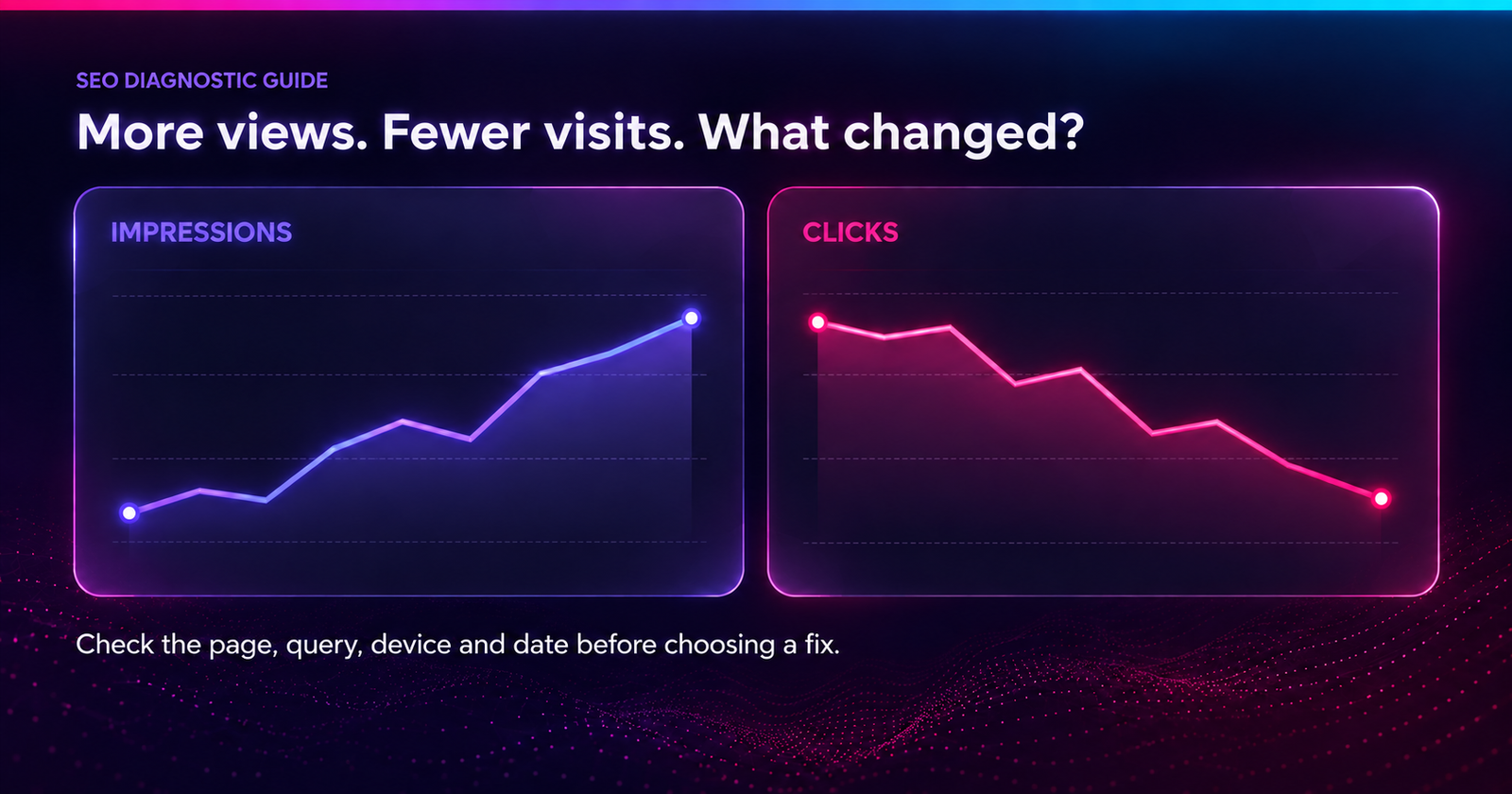
Impressions can rise while clicks fall when more people have a chance to see your site, but fewer choose to visit. AI answers, links hidden inside source panels, crowded results and changes in your ranking keywords can all play a part.
Compare the same pages and queries across matching dates, countries and devices. Then check what the searcher actually sees. A ranking report alone cannot show where the click was lost.
Your keyword report looks better. More terms reach the top 10. Your brand even appears in AI Overviews. Yet website visits and enquiries are falling.
The missing detail is often how your business appears. Being named in an answer, having a visible link and giving someone a reason to visit are three different things. This guide helps you check each one and choose a useful fix.
Jump to a section
Start with the gap between visibility and visits
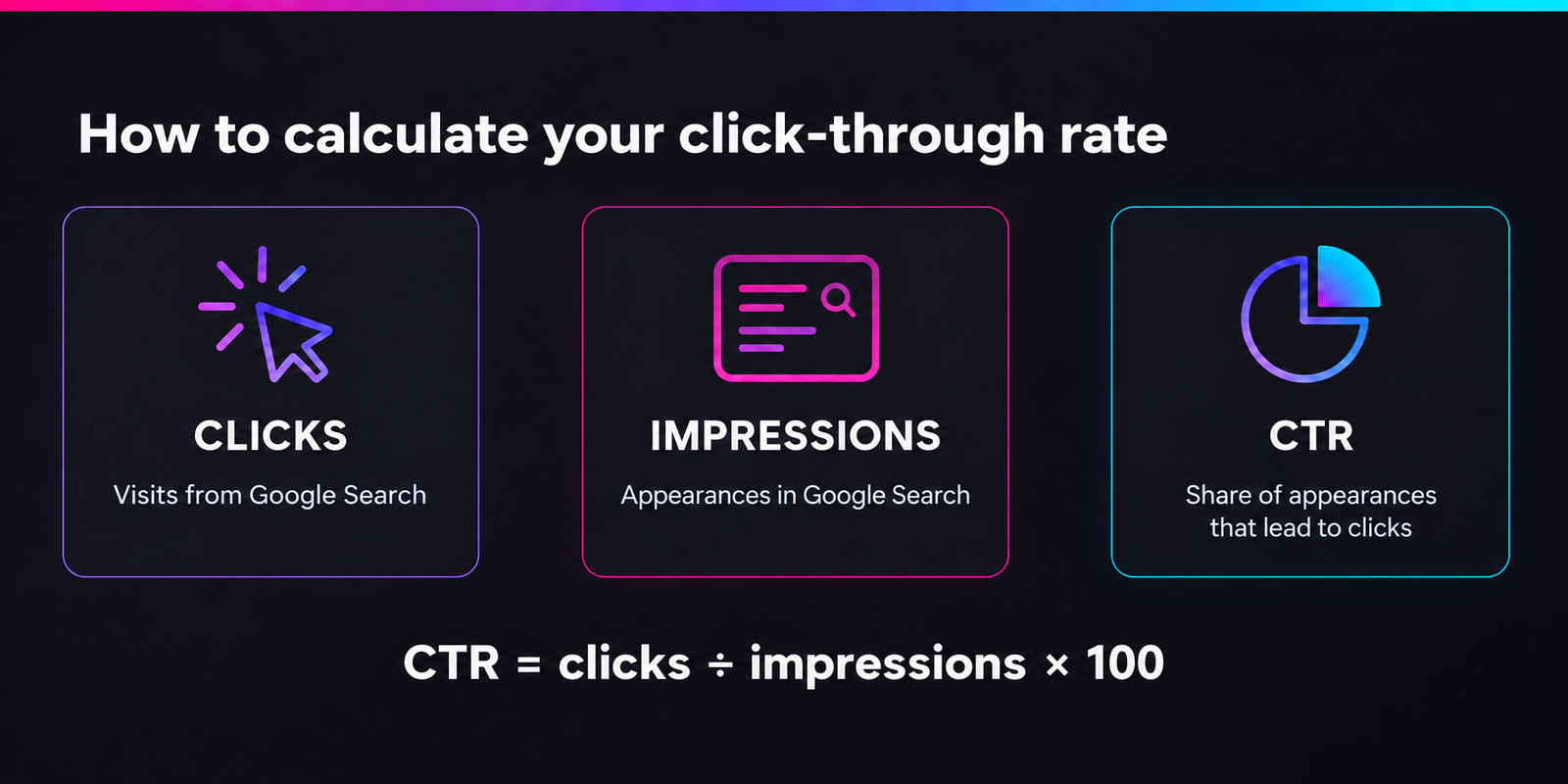
Impressions record appearances under Google's counting rules. Clicks record visits from search results. Click-through rate, or CTR, shows how often those appearances turn into clicks.
CTR = clicks ÷ impressions × 100. When impressions rise and clicks fall over matching periods, CTR falls too. That describes the problem; it does not identify the cause.
Check which existing searches lost clicks before focusing on new keywords. Added low-click impressions can lower your overall CTR, but they do not, by themselves, explain why total clicks dropped.
Your brand appears in an AI answer, but where does the link go?
An AI mention is not always a link to your website. An answer may name your company while citing a review site, directory or publisher. Your brand gets exposure, but another website gets the direct route to the visit.
Separate four outcomes: a mention, a link, a visit and an enquiry. Counting them as one AEO result hides where the journey stops.
Check the answer from the reader's side
- Save the question and first view. Record the platform, date, market and device. Note whether your business is recommended, compared or simply named.
- Expand the answer and open its sources. Your link may sit inside a source card rather than beside your name.
- Follow each relevant link. Check its final destination. Does it reach your site, a third party, an outdated URL or the wrong product page?
- Repeat the check. Use the same questions and settings on another day to see whether the placement holds.
If your name appears but the sources point elsewhere, record a brand mention. If your own link appears only after expansion, record that placement too. A citation count misses how much work the reader must do to find you.
What to improve
Compare the cited page with your own. Does it explain pricing, use cases or limits more clearly? Are those details on your site hidden behind a form, login or image?
Put clear answers on the relevant public page. Support claims with current product details, screenshots and useful instructions. Link related guides to that page. These changes improve its value as a source, though they cannot guarantee a citation. The AI citation guide covers this content review in more detail.
Zero-click searches and zero website clicks need different checks
A zero-click search ends without an external result click. The reader may get an answer, change the question or leave. Zero clicks to your website means your site received no reported clicks; someone may still have visited a competitor.
Zero search results means the search returned no matching results. It is a different problem from appearing in an AI answer without getting a visit. “Position zero,” sometimes used for a featured snippet, describes placement rather than traffic.
What to check when impressions bring no clicks
- Enough activity: a handful of impressions is too little to judge. Use a longer period for low-volume queries.
- The reader's task: a definition may be answered on Google. A migration plan or product setup may still need a visit.
- The reason to click: does your page offer a tool, clear steps, cost details or another useful next action?
Do not treat 100% minus your CTR as a zero-click search rate. That figure also includes people who clicked other sites. Your Search Console report cannot show everything people did across the results page.
If a page has no search visibility at all, check URL Inspection and indexing first. Failing to find it in one manual search does not prove it is missing from the index.
Why top-10 rankings can still bring little traffic
The top 10 positions, the first page and the first screen are different measures. Check the wording in your tool, too: “top 10 pages” covers far more results than “top 10 positions.”
A keyword count gives every term equal weight. It does not tell you whether that search has demand or brings buyers. New terms in positions 8–10 can hide losses on the searches that used to bring enquiries.
Look beyond the rank number
- Match the market and device. A national desktop ranking may not reflect your customer's local mobile search.
- Save the first screen. Check whether ads, AI answers, videos or local listings push your result below the visible area.
- Check the result type. Separate a normal organic listing from a link inside an AI answer.
- Group the keywords. Compare positions 1–3, 4–10 and 11–20. Separate brand, learning and buying searches.
Google's position rules explain why this matters: ads do not take an organic position number, while links within one AI Overview share its position. A strong reported position does not guarantee a prominent standalone link. Search Console also shows an average, not everyone's exact ranking.
Compare queries present in both reporting periods before counting new wins. Keep newly visible queries separate. Missing query rows may reflect reporting limits or privacy filtering, so do not automatically treat them as lost rankings.
Measure AEO results without confusing them with visits
Google's Generative AI performance report for Search provides an impressions view for AI Overviews and AI Mode, with page, country, device and date breakdowns. As of this guide's October 2026 review, it is not a query-level click or conversion report.
Use it to find URLs gaining AI exposure, then review those pages in your wider search and analytics reports. AI impressions are already included in overall search performance; adding them again would overcount.
Do not divide all Google clicks by AI impressions and call it “AI CTR.” Those numbers cover different activity.
| Outcome | What to record |
|---|---|
| Brand mention | Question, platform, date and wording around your name |
| Direct link | Final URL and whether the link is visible or hidden |
| AI impressions | Reported page exposure over matching dates |
| Visits and enquiries | Identifiable source, landing page and qualified action |
Keep a fixed list of questions covering discovery, comparison and buying decisions. Track how many checked answers mention you and how many link to your site. Keep each platform separate. This measures your chosen questions, not your share of every search.
Ask leads how they found you as well. A customer may discover your name through AI and return later. Keep that answer separate from analytics attribution; a rise in branded searches alone cannot prove AI caused it.
Rule out these other causes before changing content
- A different audience: more overseas or free-template searches can hide fewer local enquiries or software buyers.
- A weak promise: the displayed title may be vague, outdated or different from what the page delivers.
- A site change: compare the first date of the decline with redesigns, redirects and releases.
- A tracking problem: stable Search Console clicks with falling analytics visits calls for a measurement check first.
If both Search Console clicks and analytics visits fall, a missing analytics tag alone does not explain it. After a site release, use the technical SEO guide for AI-built websites to check rendering and indexing.
Run a focused audit of the missing clicks
Use one row per page and query for a fixed country, device and search type. Keep clicks, impressions, CTR and position together. This makes the change easier to trace.
1. Compare fair periods and find the affected pages
In Performance → Search results, compare two equal periods, such as the last 28 complete days against the previous 28. Keep the search type unchanged. For seasonal businesses, also check a comparable period last year.
Open Pages and sort by lost clicks. Start with five pages tied to enquiries, demos or signups. Check actual losses alongside percentages; a large percentage drop on a tiny page may have little business impact.
2. Separate ranking loss from lower click rates
Filter to an affected page, open Queries and compare the same searches. Then narrow by country and device. Keep brand searches separate from searches that do not name your business.
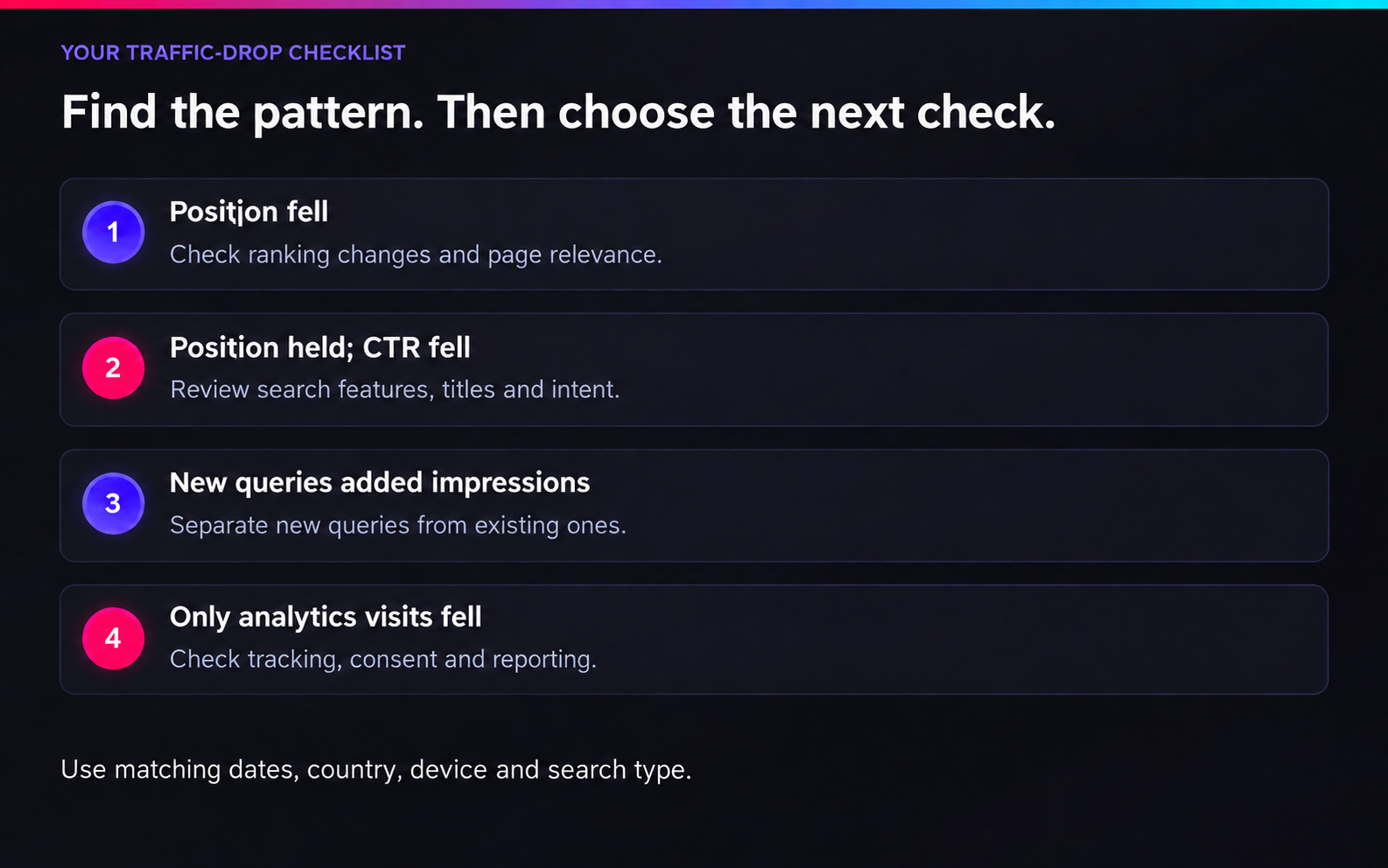
If position and clicks fall together, investigate ranking changes first. If position stays similar while CTR falls, review the displayed title, search features and reader intent. Neither pattern, by itself, proves an AI answer caused the loss.
3. Estimate where the click-rate gap is largest
For rows with similar positions and comparable search conditions, calculate:
Current impressions × previous CTR = clicks at the previous rate. Enter CTR as a decimal. Subtract current clicks to find the gap.
Use this to rank review priorities, not to promise recovered traffic. Calculate it for matched rows instead of applying one site-wide CTR to every page. Separate ranking changes first, and flag changes in device, intent or search layout.
4. Check whether another page took over
Filter to the query and compare the Pages view across periods. Has a broad blog post replaced a focused service, pricing or comparison page?
Several URLs appearing for one query is not automatically a problem. Look for an unwanted switch alongside lost clicks or weaker leads. Clarify page purpose and internal links. Merge pages only when they duplicate the same job; do not use canonical tags to group distinct, useful pages.
5. Review the result and landing page together
Record what appears above your link, whether an AI answer already completes the task, and where its sources lead. Then open your page on a phone. Can the reader quickly find the promised answer and take the next step?
Compare competing pages for useful detail, not just length. Current prices, clear limits or a working tool may provide a stronger reason to click than another long overview.
6. Connect the finding to business value
Check whether the affected pages also lost qualified enquiries, demos or signups. Test the form or signup journey before blaming content. A smaller traffic loss on a buying page can matter more than a large drop on a broad definition.
Finish each row with what changed, the evidence, the likely cause, one action and a success measure. Keep unanswered questions separate. This gives you a plan you can review rather than a list of guesses.
Choose the fix that matches the problem
| Finding | Next action |
|---|---|
| Positions and clicks fell together | Check relevance, competing pages and recent site changes. |
| Similar position, lower CTR | Review search layout, displayed title and the reason to visit. |
| AI mention without a direct link | Compare the cited source with your own relevant public page. |
| New keywords hide older losses | Separate new visibility from queries present in both periods. |
| Visits hold, but leads fall | Check visitor intent, the offer, forms and tracking. |
Give readers something useful beyond the short answer. For services, that could be cost factors, scope or a clear process. For SaaS, offer setup steps, product screenshots, honest comparisons or a tool that helps complete the task.
Keep answers clear, explain unfamiliar terms and place useful details under matching headings. Link learning content to the next relevant service or product page. The guide to content and buyer intent can help you plan those connections.
If relevant visits are arriving but enquiries are not, review the next part of the journey. The guide to SaaS traffic without demo requests covers product fit, form failures and booking gaps.
Review the changes over four weeks
- Week 1: save matched reports, AI placements and screenshots for priority pages.
- Week 2: fix the clearest issue and record the change date.
- Week 3: repeat the same questions and checks using the same market settings.
- Week 4: compare relevant clicks, direct citations and qualified actions. Review similar unchanged pages for wider trends.
Low-traffic pages may need longer. Seasonality and ranking shifts can affect both groups, so this comparison helps you judge progress without proving that one edit caused every change.
Your review should show where visibility improved, where useful visits declined and which action has the strongest evidence behind it.
Common questions
Why does an AI Overview mention me without a link?
Your business can be named while another website is cited as the source. Expand the answer and follow its source links. Count a direct citation only when it reaches your site.
Why am I in the top 10 but getting no clicks?
Check demand, device, market and first-screen placement. A result can rank well yet sit below large answer blocks or target a question people resolve without visiting.
What is a good CTR?
There is no single target for every site. Compare similar queries, positions and devices within your own reports. A site-wide percentage can hide very different reader needs.
Should I stop writing informational posts?
No. Keep posts that help readers solve a problem and take a useful next step. Review their role in the buying journey before deciding to improve, merge or remove them.
Written by Richi Meckvan. Sources checked on 4 October 2026.